- TypeScript
- React
- TanStack Start
- Effect
- WebAssembly
- WebMCP
- WebGPU
- ONNX Runtime
- PWA
Ritools
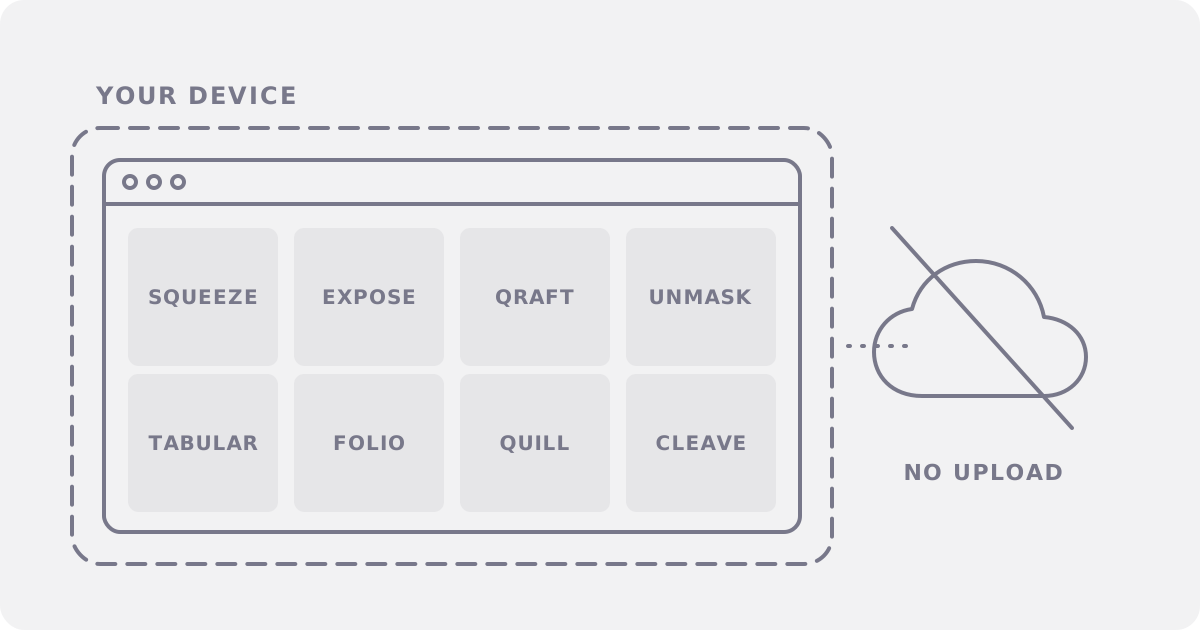
Eight free tools for images, PDFs, tables, and text. They run in your browser, and your files stay on your device.
On this page
A job portal rejects your 3.5 MB photo. The limit is 300 KB. You search for a compressor, and the first results want your file on their server, an account, or a paid plan for the rest of the batch. Ritools does the same job in a browser tab: no account, no upload, and no cap but your device.
The dry cleaner and the washing machine
An online tool works like a dry cleaner. You hand your clothes to a stranger, trust the back room, and pay by the piece. Ritools is a washing machine in your own home: the clothes stay in the house, and nobody counts the loads.
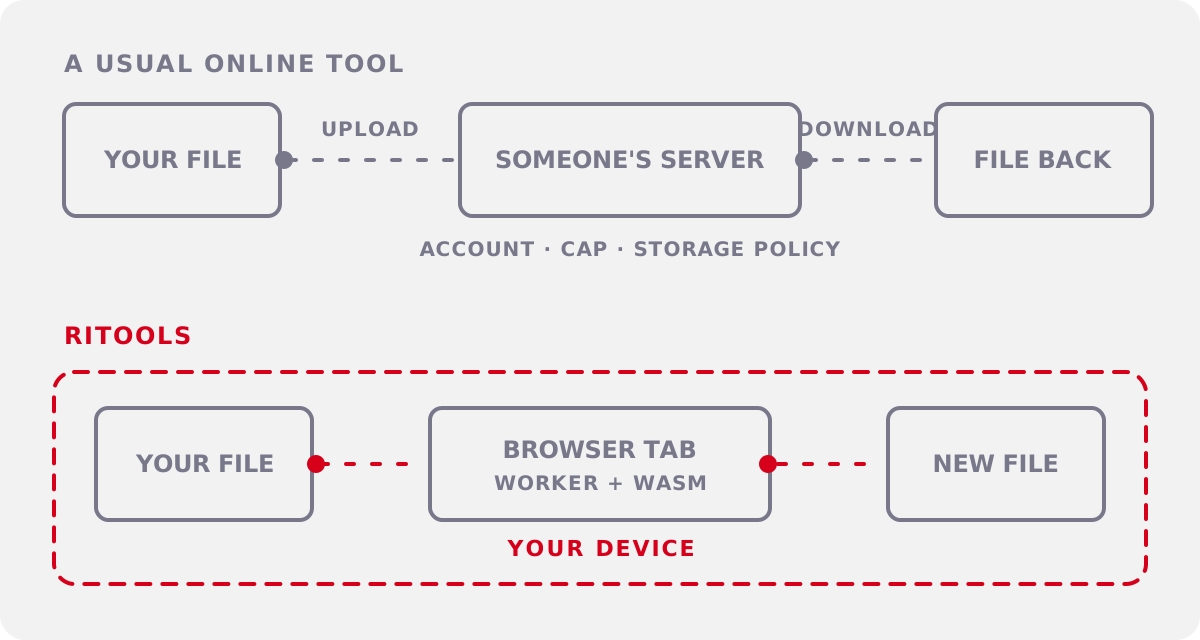
The promise comes from the structure. A privacy policy asks you to trust a server; Ritools has no upload endpoint and no server storage, so it has nothing to ask. I built it for my own small jobs first. A Tool ships only when it can replace a capped or paid service.
What you get
- Private files: Each Tool reads and writes your files in the tab.
- No account: Open the page and start.
- No caps: Your memory and CPU set the only limit, and the site says so.
- Offline work: After the first use, a Tool keeps working on a plane.
- Agent ready: Four Tools speak WebMCP, so your browser agent can run them for you.
- No install: Every Tool is a link, and the site installs as a PWA if you want an icon.
- Commercial use: Client work is welcome, at no cost.
Eight Tools, one tab
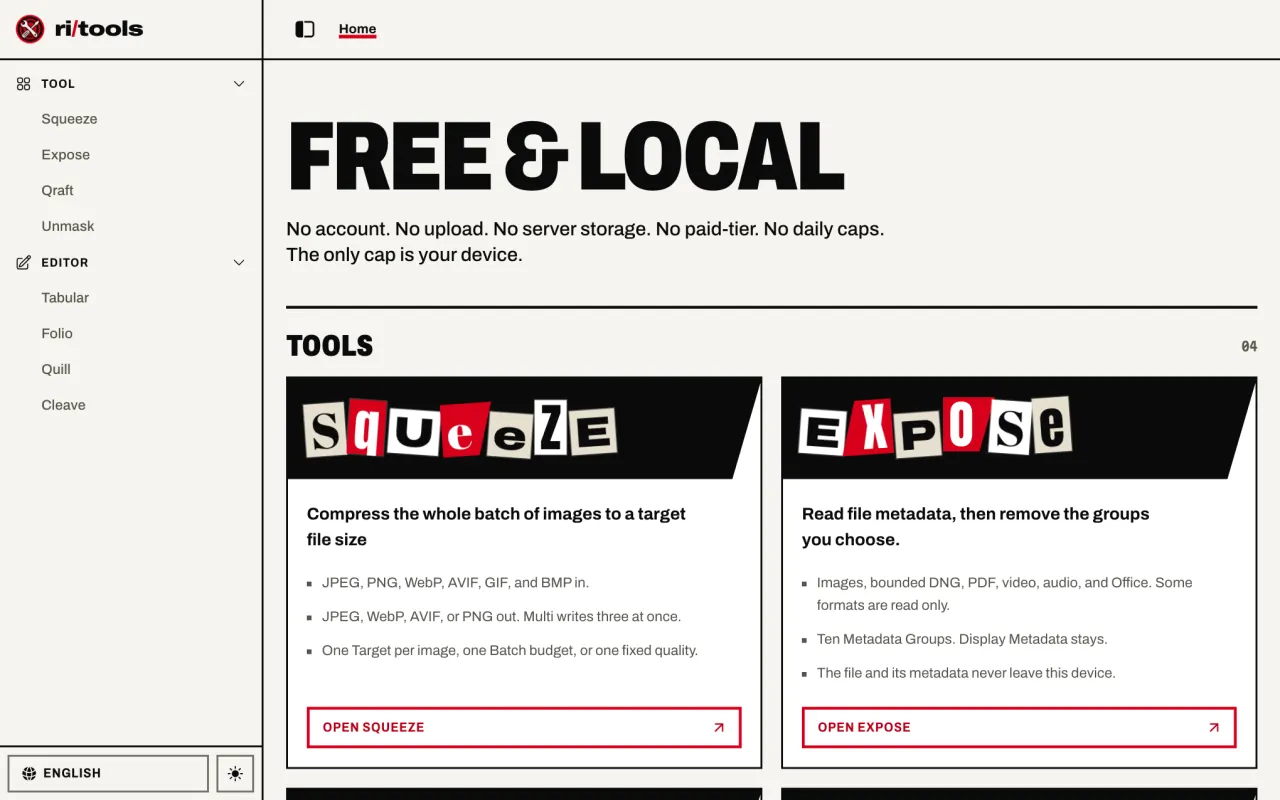
The Tools share one shell, so you learn the sidebar once. Four of them make files, and four open documents for editing. The four file makers also take orders from AI agents through WebMCP.
- Squeeze compresses a whole batch of images to a target file size.
- Expose reads file metadata, then removes the groups you choose.
- Qraft writes QR codes and more than 40 other codes.
- Unmask removes an image background and lets you fix the result.
- Tabular views, edits, and converts CSV and Excel files.
- Folio views, edits, and compresses PDFs.
- Quill keeps a Markdown library in your browser.
- Cleave compares two texts and resolves each change.
Squeeze: pack to the weight limit
A quality slider is packing a suitcase with your eyes closed, then hoping the airport scale agrees. Squeeze starts from the limit. You give it a Target, and it finds the best quality that fits, for every image in the Batch.
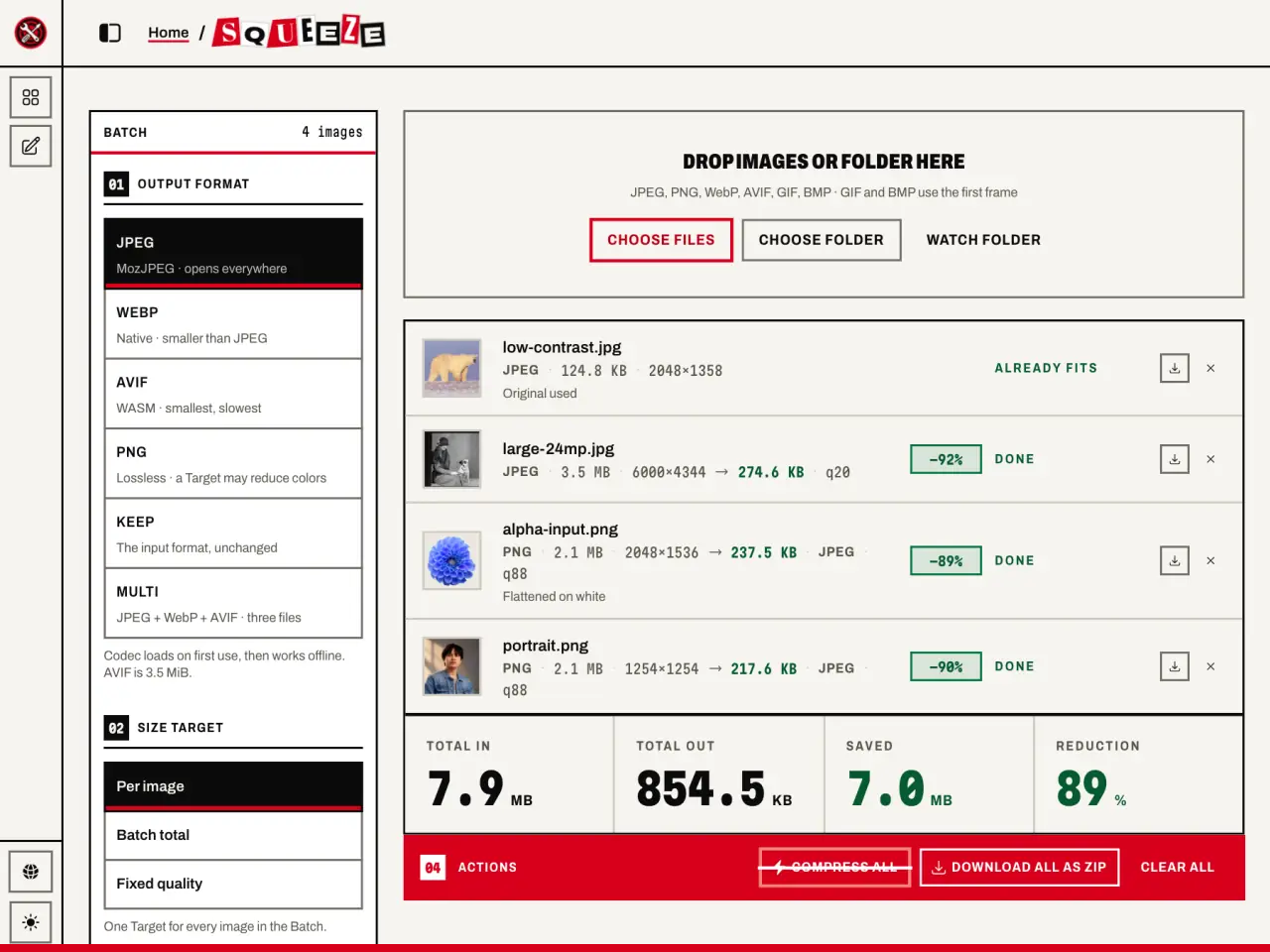
This run took four images and a 300 KB Target. The Batch fell from 7.9 MB to 854.5 KB. One JPEG already fit, so Squeeze kept the original.
The search bisects a ladder of settings, best first, so each image needs only log2(steps) trial encodes:
while (low <= high) {
  const middle = Math.floor((low + high) / 2);
  const probe = yield * probeAt(middle);
  if (fits(probe.result)) {
    best = probe;
    high = middle - 1;
  } else {
    low = middle + 1;
  }
}
Squeeze also tells the truth when physics wins. At a 200 KB Target, the 26-megapixel photo stopped at 274.6 KB. It marked that image a Miss and still handed over the smallest file it made.
Expose: read the back of the postcard
A photo is a postcard with your address on the back. Your camera wrote it, and most people never turn the card over. Expose turns it over.
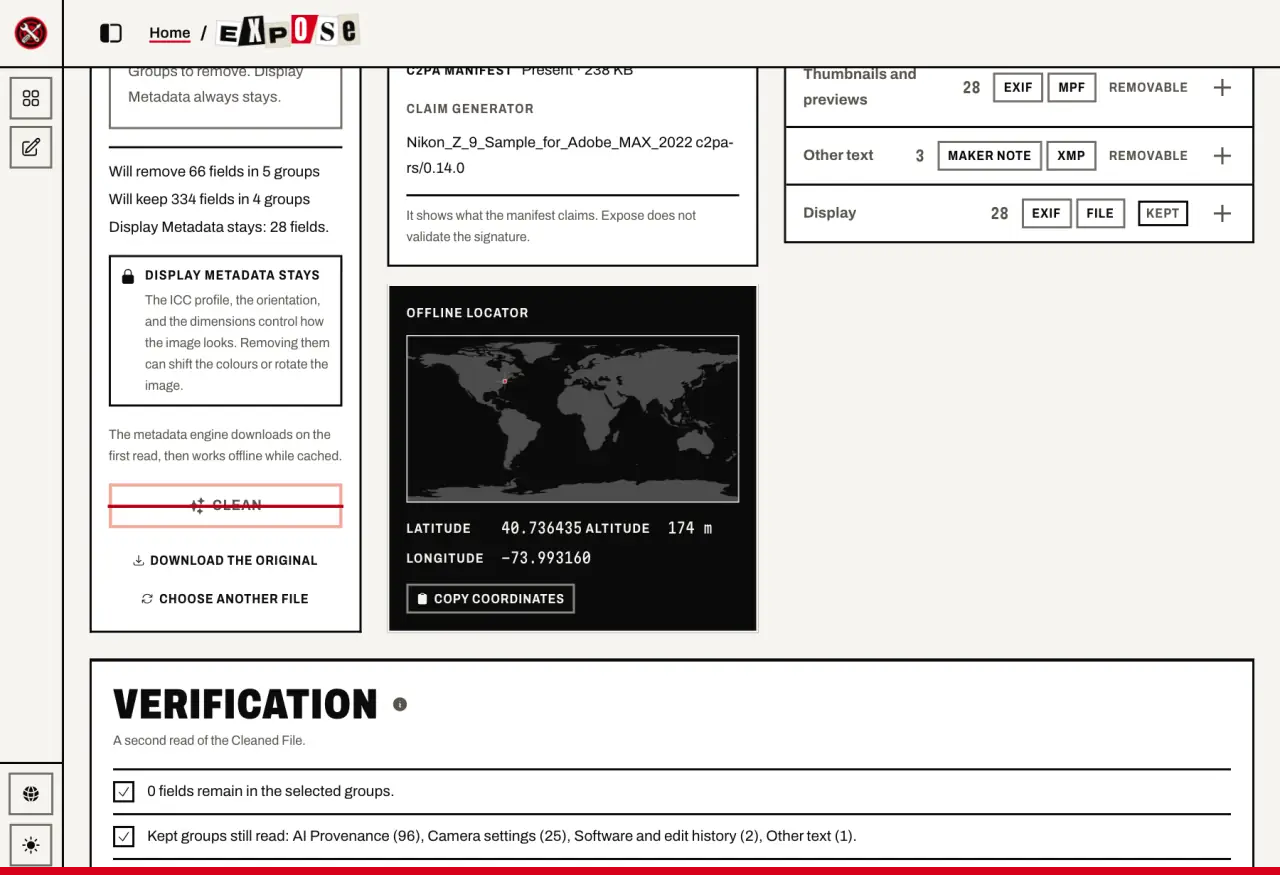
This camera sample holds 428 fields, including a GPS point. The Personal preset removed 66 of them from five groups. Expose then read the Cleaned File again and reported 0 fields left in those groups, so you get a receipt along with the file.
The map is an Offline Locator. It loads no tiles, so no map server learns where the photo was taken.
Qraft: paint the address on the door
Most QR services rent you a mailbox. The code points at their redirect, they count each scan, and the address can expire. Qraft paints the address on the door: the Payload sits in the image, so the code needs no server behind it.
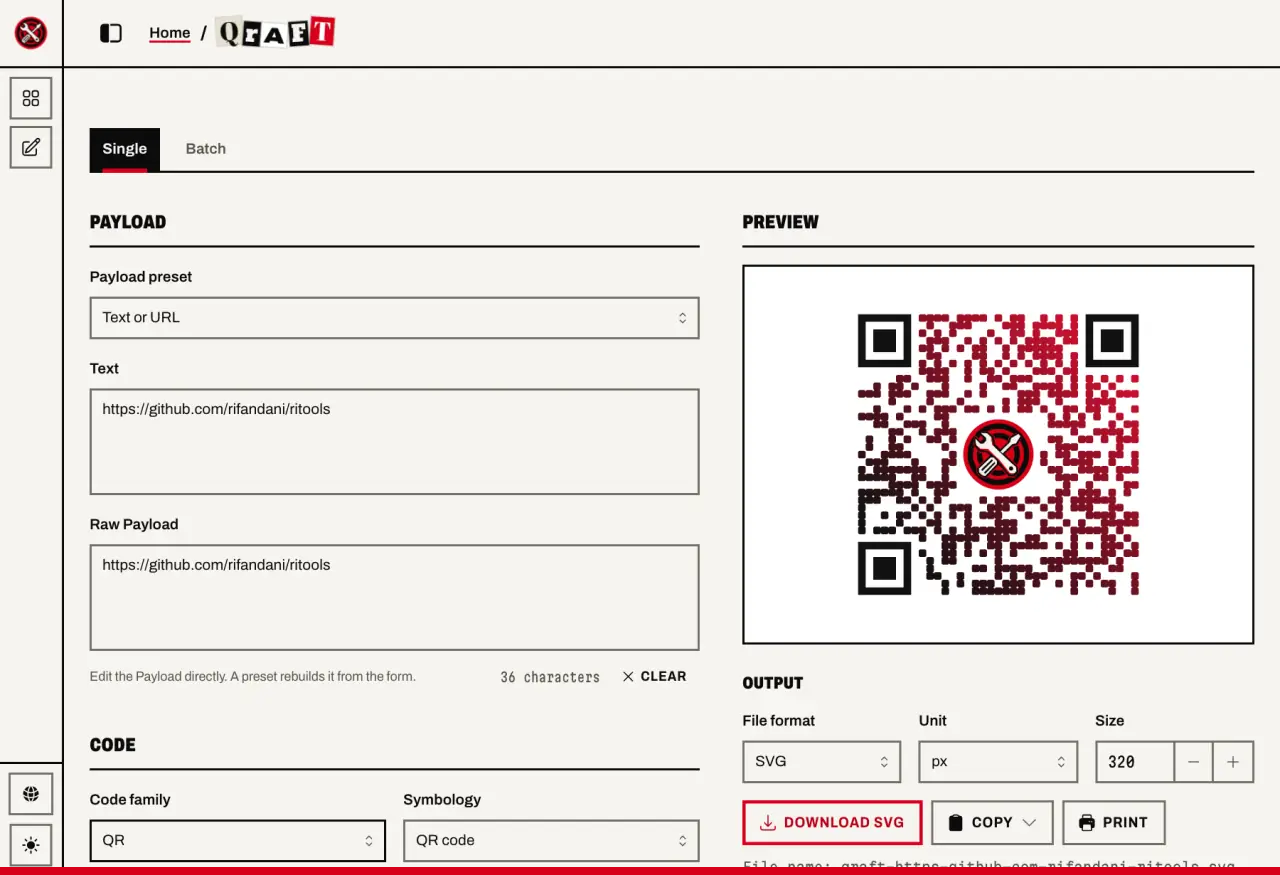
Set the dots, corners, gradient, and logo, and Scan Warnings flag the styles that can break a scan. Batch mode turns a list or a CSV into one Label Sheet in the same style. Download SVG to keep the full style, or PNG for a flat image at an exact size.
Unmask: scissors, then an eraser
Most background removers hand you the cut and walk away. Unmask gives you the scissors too: the model makes the first cut, and the Magic Brush gives you the last word.
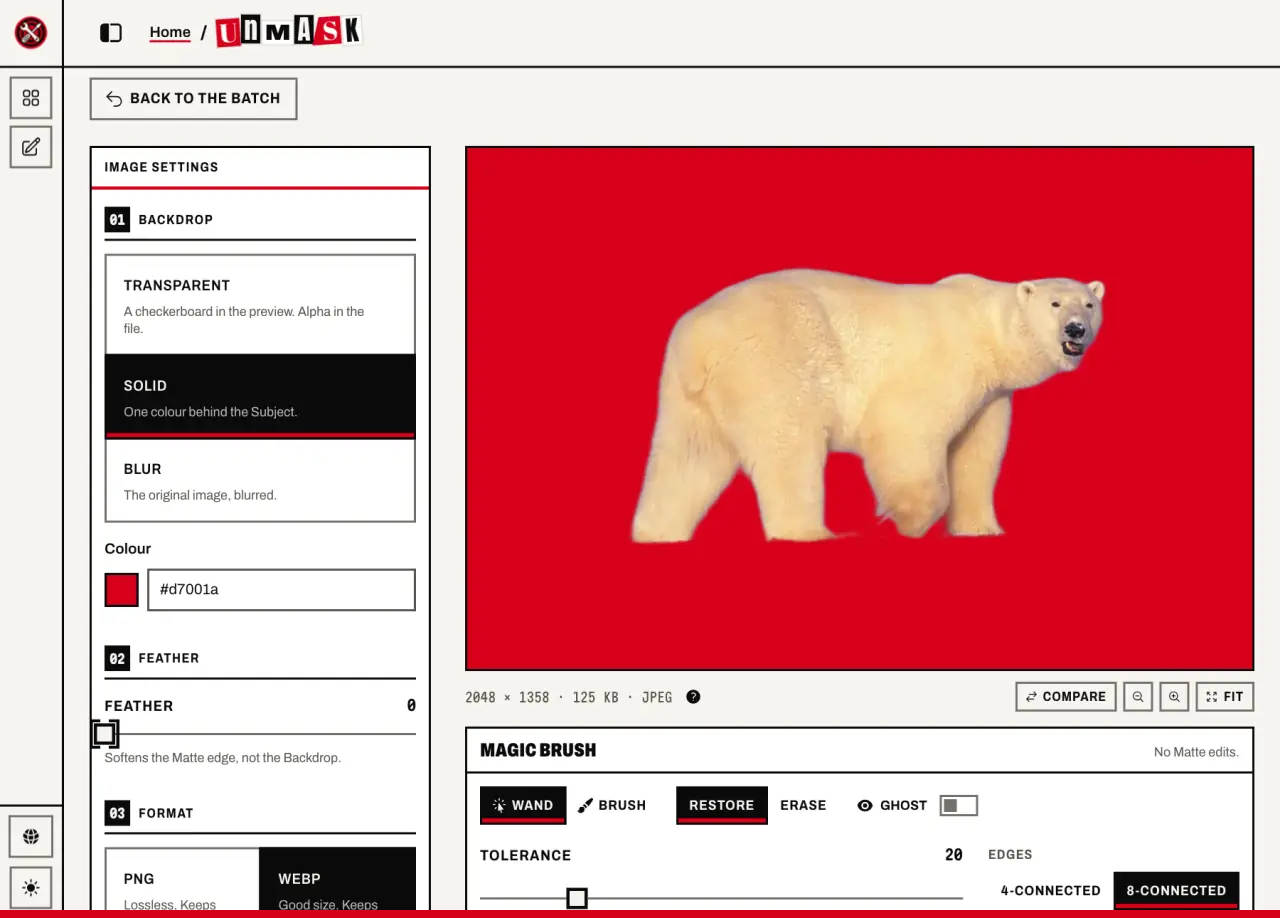
The model runs in your tab on ONNX Runtime Web, with WebGPU when the browser offers it and WASM otherwise. Ritools fetches the model once, about 42 MB, from its own origin. Your image never travels the other way.
The Ghost view shows the removed pixels, so you can see what to restore. The Wand takes color-similar regions, and the Brush paints strokes. Each edit joins an operation log, and the export replays that log on the full-resolution Matte. The final image stays sharp even though you paint on a smaller preview.
The four editors
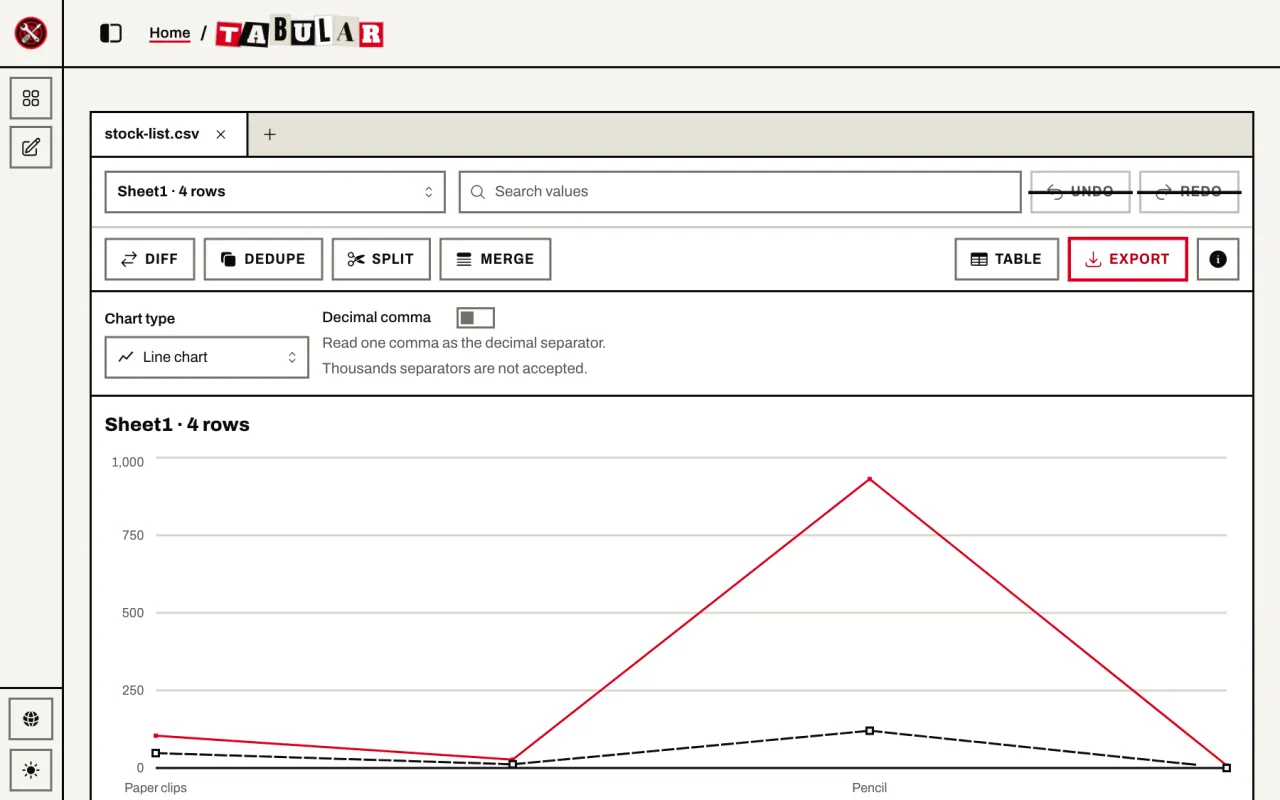
Tabular is a multitool for tables. It keeps several files open in tabs, edits cell values, removes duplicates, splits and merges CSV files, and compares two versions by a key you choose. It also writes a PDF report.
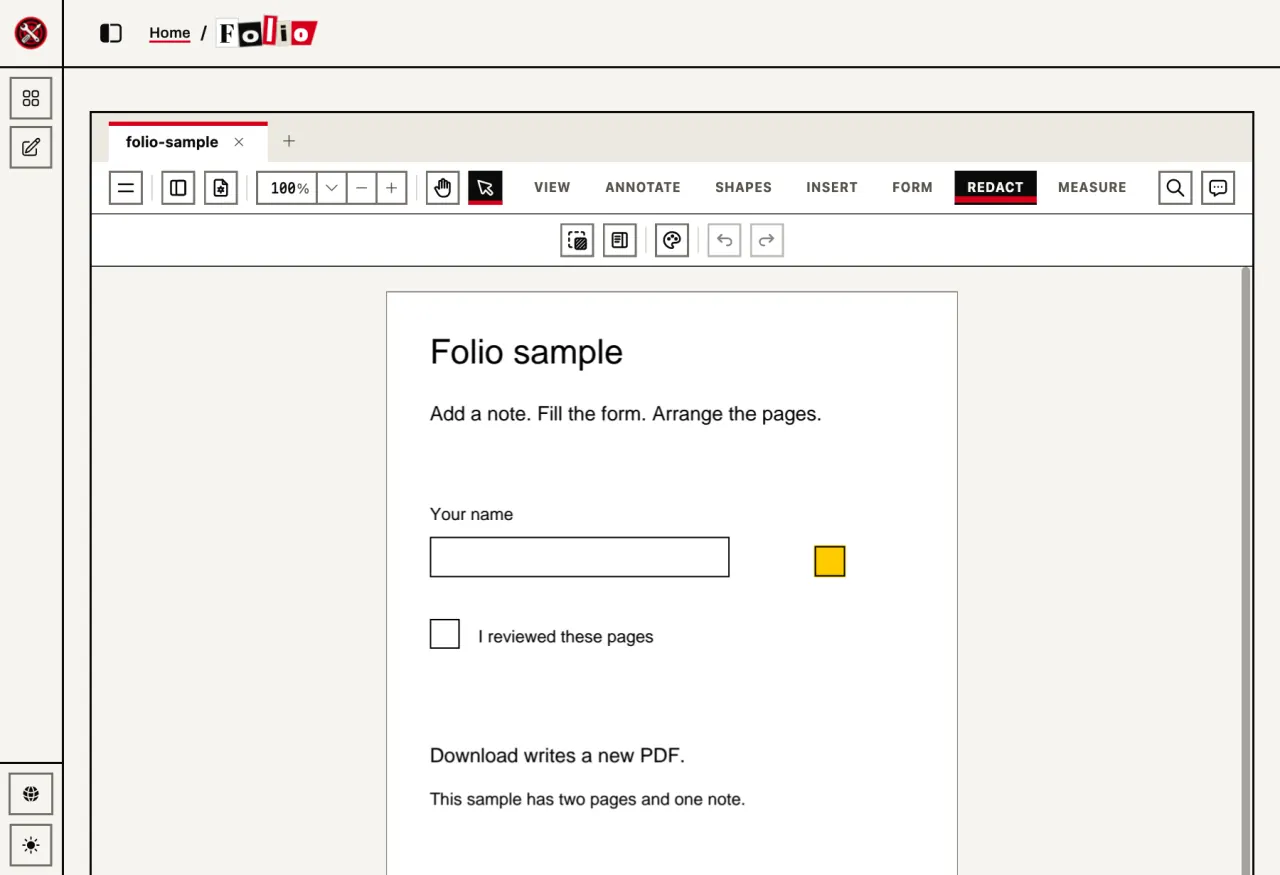
Folio is a print shop on your desk. It rewords text, redacts, signs, fills forms, arranges pages, and adds an invisible OCR layer. A wording edit must pass its own inspection: Folio reads the new text back, then renders the page and checks that nothing moved outside the edit. If a check fails, it writes nothing.
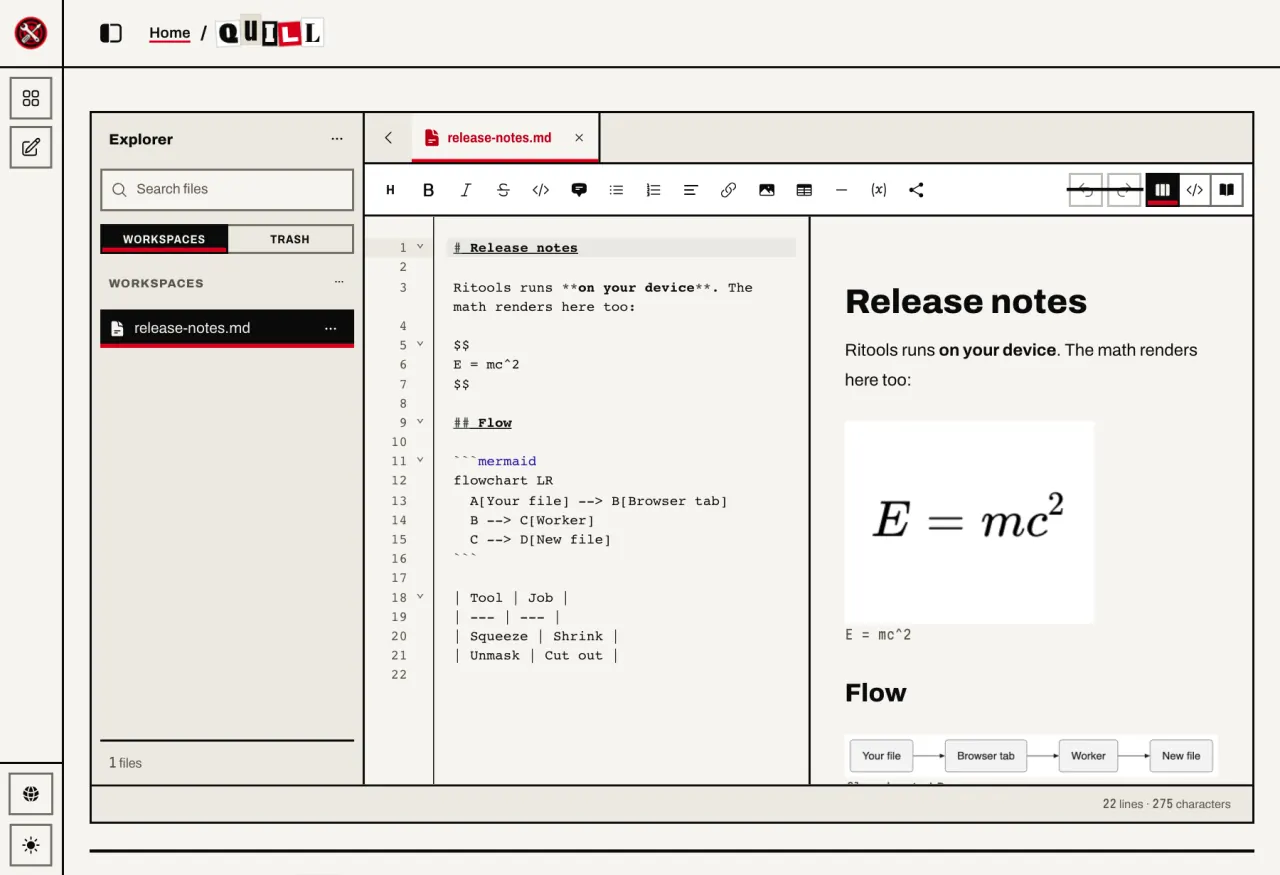
Quill is a notebook that lives in your browser. It stores documents and folders on your device, and it renders math, tables, and Mermaid diagrams as you type.
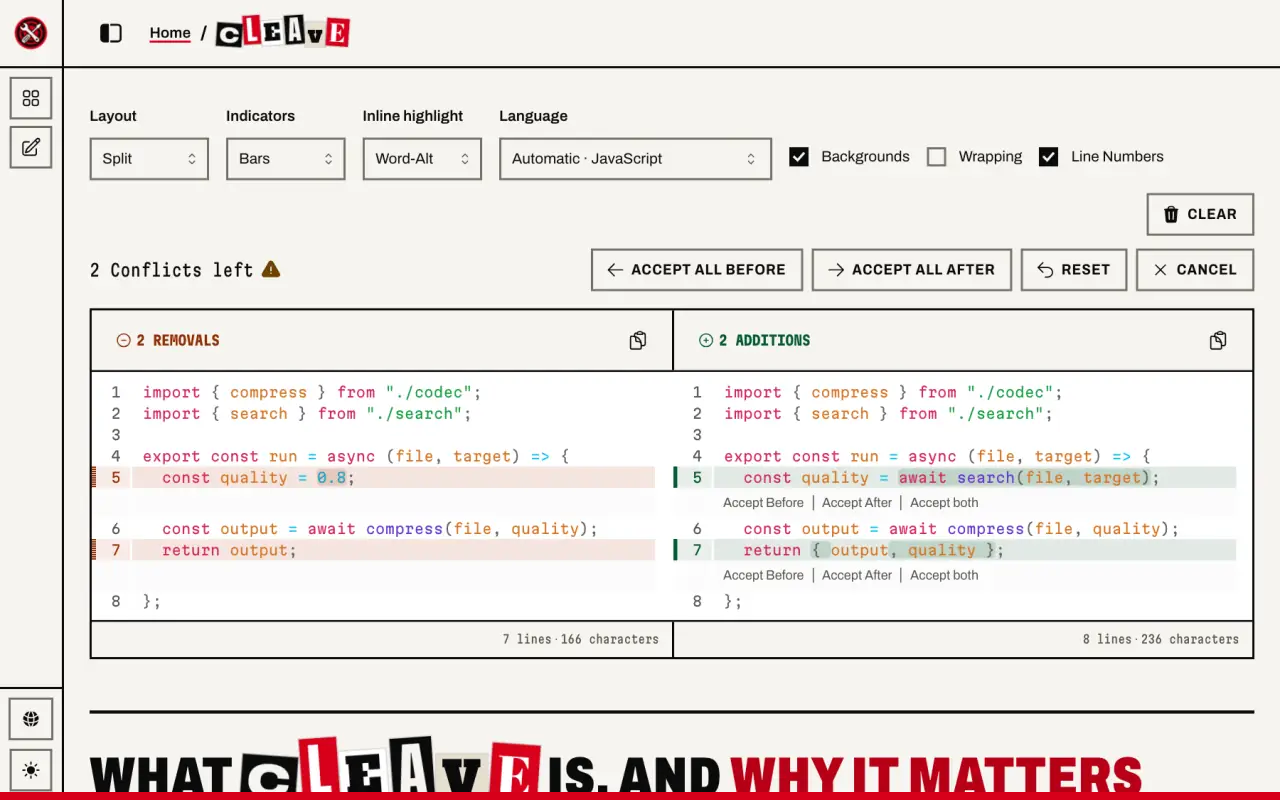
Cleave is a light table for two drafts. Every difference in your text or code jumps out. Resolve then keeps Before, After, or both for each Change. Cleave also opens a file full of git conflict markers and offers the same choices, so you can untangle a merge in a browser tab.
WebMCP: four Tools take orders from your agent
An agent on a normal website orders by pointing at pictures. It reads a screenshot, guesses which button matters, and hopes the layout holds. WebMCP hands it the menu: every action has a name, a description, and a typed schema.
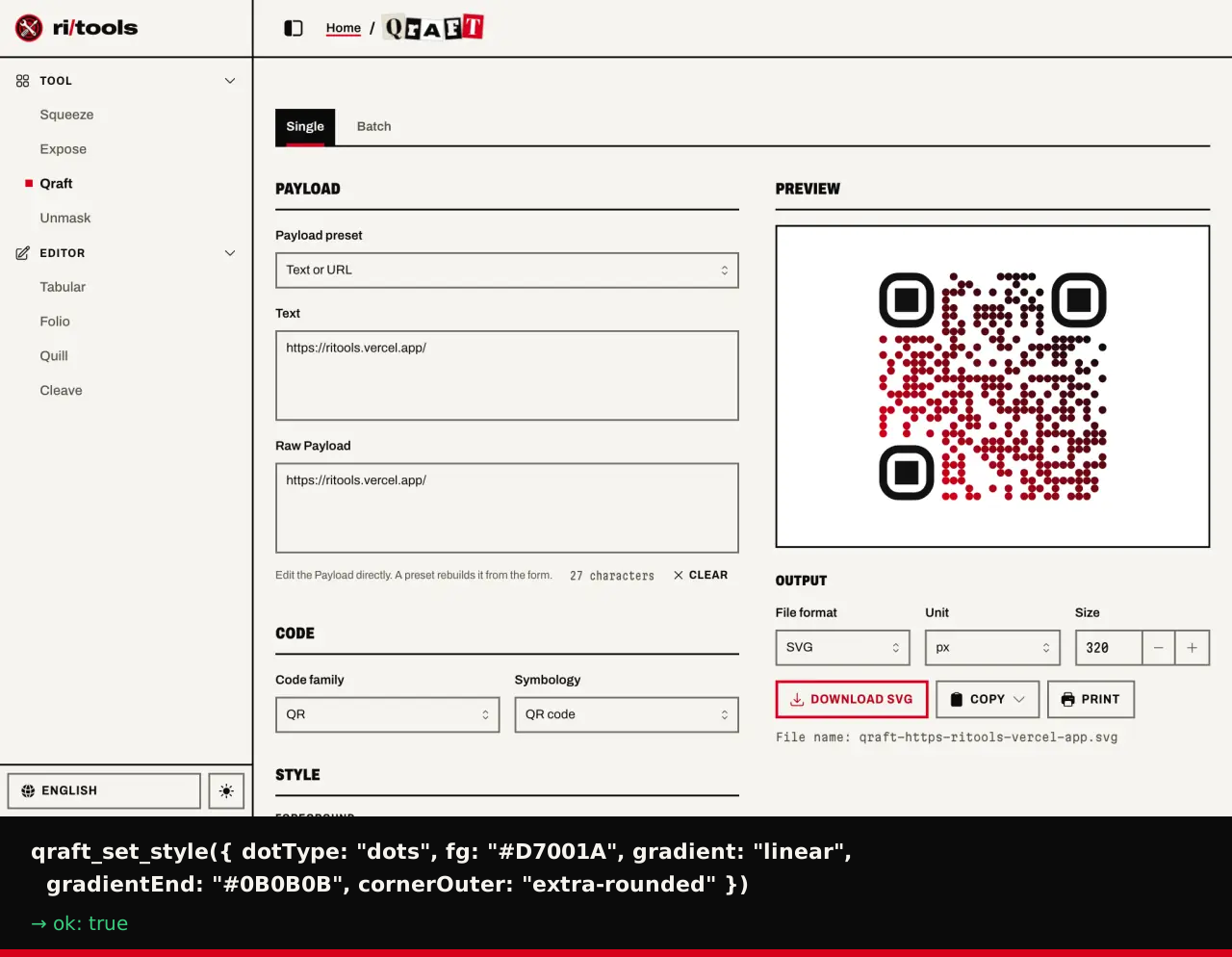
Squeeze, Expose, Qraft, and Unmask publish that menu. Here a browser agent runs Qraft on the live site with no clicks. Each frame shows the real call and its result.
Each of the four Tools adds its own actions when you open it, for 34 in all:
- Squeeze (6): Set the Target, run the Batch, stop, remove an image, and download.
- Expose (8): Open a sample, read the Metadata Report, choose a preset, clean, and download.
- Qraft (9): Set the code and its style, render it, build a batch and a label sheet, and download.
- Unmask (11): Load a sample, change the settings, cut out, edit the Matte, undo, redo, and download.
A 35th action, open_tool, works on every page and opens any of these four. The editors stay hands-on: Tabular, Folio, Quill, and Cleave publish no actions of their own.
The local promise holds. File bytes never go into or come out of an Agent Action, so an agent works only on the files you put in the Batch. Only you pick a Qraft logo, and a download goes through the same path as your own click. A result that holds text from a file carries a warning hint, because a file can carry text written to steer an agent.
Ritools uses native WebMCP when the browser has it. Otherwise it loads a polyfill for agents on the MCP-B transport, and it locks that polyfill to its own origin. The default would let any frame or extension call an action.
How a tab does all this
A browser tab holds a bigger engine room than most people expect. Each Tool brings its own engine and loads it on first use, so a visit to Squeeze never pays for the PDF engine.
- Squeeze: jSquash codecs, including MozJPEG and AVIF.
- Expose: ExifTool 13.59 in WebAssembly.
- Unmask: ISNet on ONNX Runtime Web.
- Folio: PDFium through EmbedPDF, pdf-lib, and Tesseract.
- Quill: Tiptap, with Pele for Mermaid.
- Cleave: Pierre Diffs.
Heavy work runs in Web Workers, so the page stays responsive. The service worker caches each engine after its first use. TanStack Start and React draw the site, and Effect runs the application logic.
The look is a ransom note: cut-out letters, ink, and one red, in the visual language of Persona 5. It suits a site that holds your files hostage from the cloud.
A shared shell also keeps new Tools cheap. A Tool adds content, and the shell brings the sidebar, themes, two languages, offline support, and error pages.
Honest limits
Ritools says "no cap", never "unlimited", because a limit exists: your device. The other limits belong here too.
- The first use of each engine needs a network connection.
- Unmask does not promise a perfect edge on hair, fur, glass, or motion blur, and it reads no HEIC, TIFF, or RAW files.
- Expose removes metadata only. It cannot remove a pixel watermark.
- Tabular edits cell values and does not preserve Excel formulas.
- Folio treats text rewording as beta: same font, no reflow.
- An Agent Action result goes to your browser agent, and that agent may send it to a remote model. Ritools uploads nothing, but Expose results hold metadata values, so choose your agent with care.
- I have no benchmarks or usage numbers yet, so this page claims none.
Credits
The sample images are public, and the portrait in Squeeze is mine: polar bear by Terry Debruyne, U.S. Fish and Wildlife Service (public domain); portrait with dog by Harris & Ewing (public domain); flower by The People's Internet (CC0); camera photo by Andy Parsons, copyright Adobe, from the C2PA public test files (CC BY-SA 4.0).
Ritools is open source under the MIT license. Open Ritools and try it, or read the code on GitHub.